
What Is One-Click Publishing in Genie?
One-click publishing is a new feature in Genie 5.0 that makes updating your templates faster and easier than ever.
Note: One-click publishing only works with our latest Genie 5.0 initial script. Learn How to Update your Existing Dub-ins Genie 4.0 Template to Genie 5.0
Instead of copying and pasting code to publish manually, you can now simply click Publish after making changes—and Genie takes care of the rest.
How It Works
When you create a new template or make edits to an existing one, One-click publishing lets you:
- Update your template instantly
- Publish changes with a single click
- Skip manual copy-and-paste steps
- Keep your workflow fast and frustration-free
Why This Is Especially Helpful
One-click publishing is perfect for quick edits—especially when a template has already been added to a project.
For example:
- You open a public-facing Dubsado form
- Make a small adjustment to a plugin
- Click Publish
- The project template updates instantly
No re-applying magic via copy and paste. No extra steps. No impact to the original template it was created from.
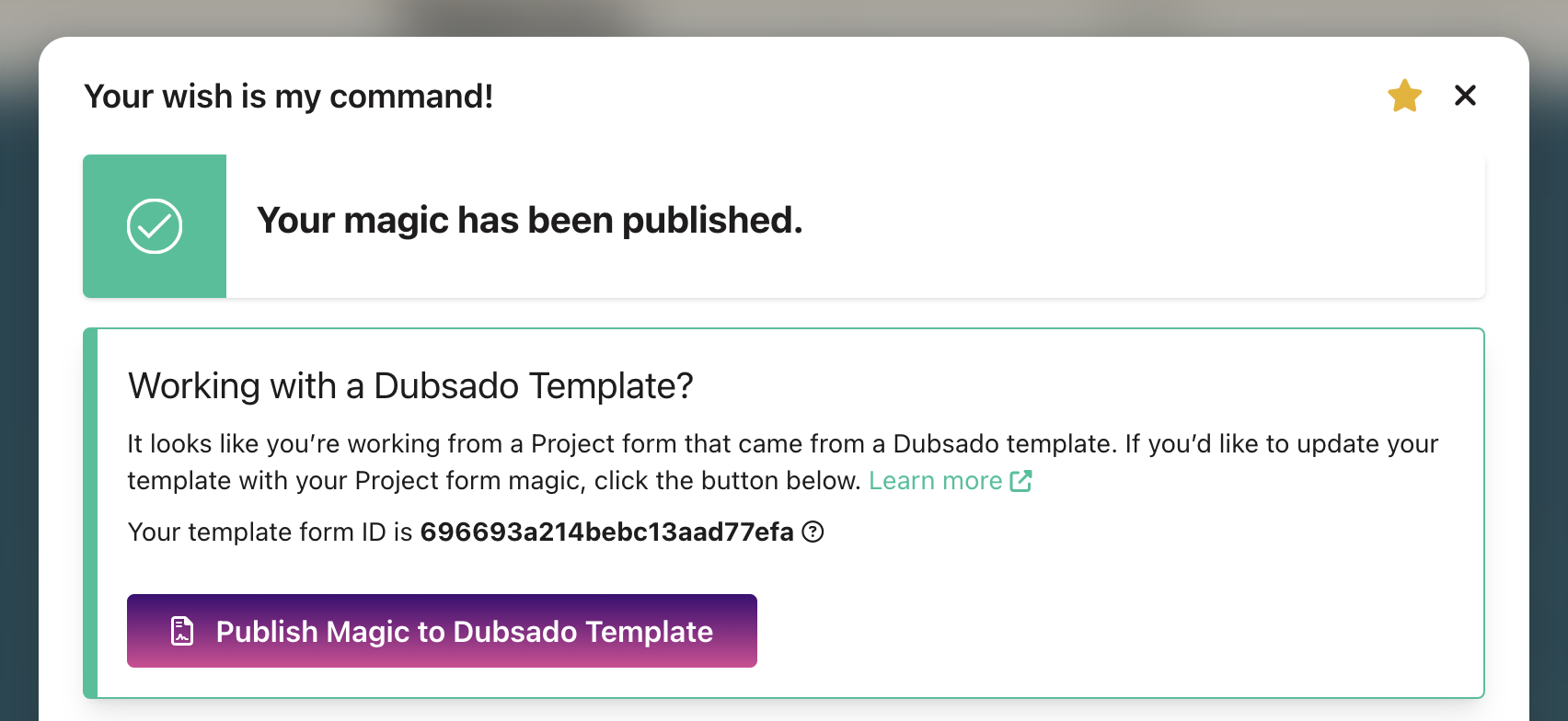
Note: When editing a project template, clicking Publish will give you the option to apply those changes to the original Dubsado template it was created from.
Good to Know
- One-click Publishing only updates the active project template
- Your original template remains unchanged, unless you’re working from your original template.
- Ideal for client-specific tweaks and last-minute adjustments